Two-step codes nobody else can read
A free authenticator for iPhone and Android. No account, no tracking, and open source. Coming to the App Store and Google Play.
 VeriGate
Privacy and security
There is nothing about you for us to read
VeriGate keeps your codes on your phone, encrypted. If you turn on backup, your phone seals it before it leaves. Here is where each piece lives.
A backup with no account
Optional. With backup off, VeriGate never goes online. With it on, three steps:
Turn on backup
Write down two kits
A Recovery Kit and an Emergency Kit, 24 words each, kept in different places. Neither opens your codes alone.
Pick a PIN
A new phone needs your Recovery Kit and PIN. If we ever shut down, both kits still open a saved backup file.
Built for bad days
Wrong PINs lock out5 tries an hour. After 10 wrong tries in a row the PIN check is deleted, and only the kits can restore.
A decoy passcodeA second passcode opens a different set of codes, for the moment someone makes you unlock your phone.
You hear about restoresIf your backup is opened on another phone, the app tells you when and how many times.
Phone to phone, offlineMove to a new phone with QR codes and a 10-digit check code. No internet needed.
Foldables
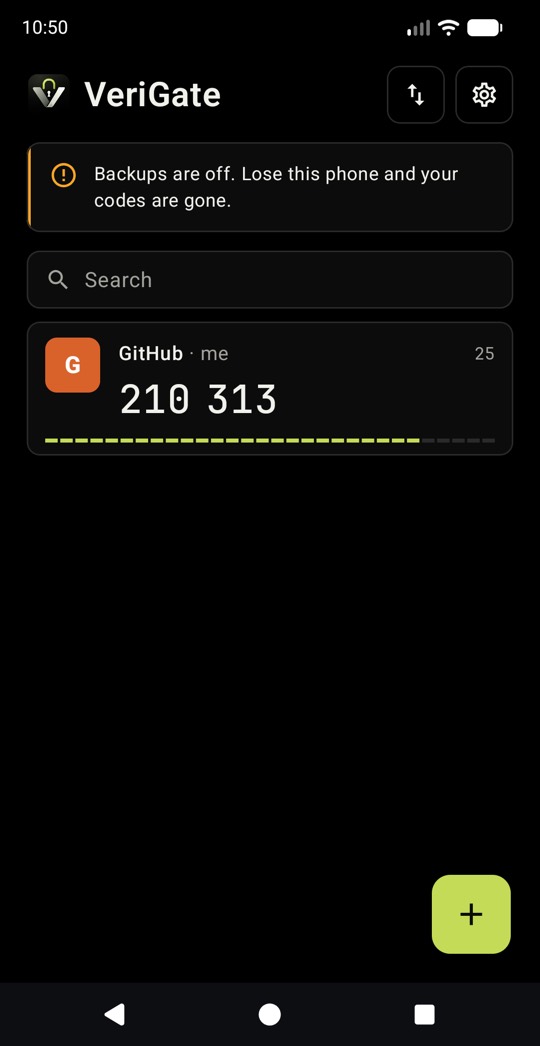
Open the phone, see more
On the Galaxy Z Fold 8 and iPhone Duo, VeriGate uses the whole inner screen: your accounts on the left, the one you picked large on the right. Close it and you are back where you were.
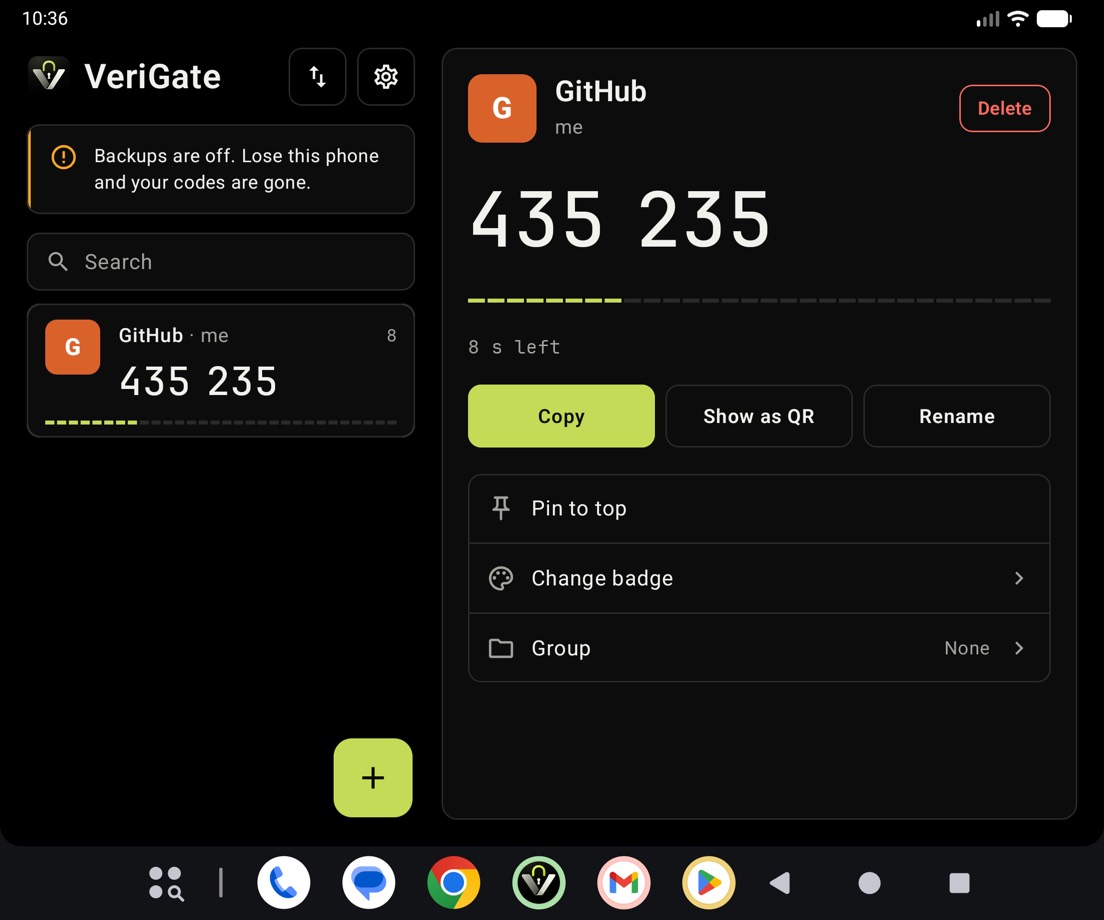
Tap to open, tap to copy
The first tap shows an account large. A second tap copies its code.
Settings beside your codes
Settings open in the right half, so your list stays in view.
A calm unfold
Cards glide to their new places as you open the phone. With Reduce motion on, it fades.
Open source
Don't trust us. Read the code.
The VeriGate apps for iPhone and Android, and the core that encrypts your codes, are open source under the AGPL-3.0. The code goes public the day VeriGate goes live in the stores, so anyone can review it.
AGPL means anyone can read, use and change the code, and anyone who ships a changed version has to publish their changes too.
- ▸core/encryption, backup, kits
- ▸ios/iPhone app
- ▸android/Android app
- ▸docs/whitepaper, threat model
- –backup servernot published
Check every claimEverything on this site and in the whitepaper can be checked against the code that runs on your phone.
Why the server stays closedIt only ever receives sealed data it can't open. The whitepaper lists exactly what it stores, and the open app decides what it gets.
Build it yourselfBuild the app from the source and compare it with what you run.
Tell us what you findA security contact will be published with the code.
Whitepaper
The design, typed up
How the kits, the PIN check, the relay and the decoy work, and what each kind of attacker can and can't get.
Privacy policy
Privacy policy
Last updated: November 2026.
VeriGate is a two-step sign-in code app. It is built so that we can't see your codes, your accounts or who you are. This page explains what that means, and the little we do handle.
Who we are
VeriGate is published by Veridyne Solutions S.R.L., Str. Guliver nr. 13, Bucharest, Romania, the controller under the EU General Data Protection Regulation (GDPR). Contact: privacy@veridyne.eu.
The short version
- No account. You never give us an email, a phone number or a name.
- Your codes stay yours. They are encrypted on your phone before anything leaves it. We can't read them, and we can't be made to.
- Your backup isn't linked to your IP address. Backup requests go through a relay. A few setup requests that carry nothing about your backup go to our server directly (see below).
- No tracking. No analytics, advertising, crash reporting or third-party code that phones home.
- Backup is optional. With backup off, nothing about you reaches us at all.
What stays on your phone
Your accounts and their secret keys, their order, badges and groups, your Recovery Kit and Emergency Kit words, your backup PIN, your app passcode and second passcode. They are stored encrypted, protected by your phone's secure hardware, and left out of your phone's cloud and device backups. We never receive them in readable form.
Moving to a new phone happens screen to screen with QR codes. Nothing goes over the internet.
What we store when you turn backup on
| What | Why | How long |
|---|---|---|
| A random backup ID and a public key, both made on your phone from your Recovery Kit | To find your backup, and so only your phones can change it | Until the backup is deleted |
| Your encrypted backup: the 10 newest versions, plus the newest one older than a day and the newest one older than a week (up to 256 KB each) | So you can restore, also after a bad change | Until replaced, or the backup is deleted |
| A PIN check record (OPAQUE) | To check your PIN without learning it | Until the backup is deleted, or after 10 wrong tries |
| Counts of wrong PIN tries | To stop PIN guessing | Until the backup is deleted |
| When the backup was made, last changed and last used (day) | To delete backups nobody uses | Until the backup is deleted |
| The date of the last restore and how many there were | So your other phones can say "your backup was opened" | Until the backup is deleted |
| One-time request numbers and usage counters | To stop replayed or abusive requests | Minutes to 2 days |
None of this contains your name, email, phone number, IP address, device model or advertising ID.
Deleting. "Turn off backup" deletes it after 7 days; any use from one of your phones before then cancels that, so a stolen phone can't quietly erase it. After new kits the old backup stops working with the PIN at once, can still be opened with both old kits for 7 days, then is deleted. A backup unused for 24 months is deleted automatically.
The relay, our server and who runs them
The relay (relay.verigate.me) runs on Cloudflare. It passes your phone's encrypted requests to our server without your IP address and keeps no logs. Cloudflare handles your IP address to deliver the connection, as any network does, and can't read the content.
Our server (api.verigate.me) runs on Vercel in Frankfurt, with its database on Neon in Frankfurt. Three small requests go to it directly and show your IP address to Vercel: the app's settings (at most once a day), the relay's public key, and a proof-of-work puzzle when you turn backup on. None contains your backup ID. Vercel keeps standard request logs for a short time under its own terms; we don't use them or log request content.
We run both the relay and the server. Whoever runs both could try to match their traffic by timing. We don't, and the relay keeps no logs to match against. It is a promise, not a mathematical guarantee.
App stores. Apple and Google handle downloads under their own policies. We get only the totals they give every developer.
Cloudflare, Vercel and Neon are US companies. Where they process data outside the EU, they do so under the European Commission's Standard Contractual Clauses or the EU–US Data Privacy Framework. Our server and database are in the EU.
This website
verigate.me sets no cookies and runs no analytics. "Count me in" adds one to a public total. We store that number and, for one day, a code for the small puzzle your browser solved, so the same tap can't be counted twice. Nothing about who tapped is stored. Your browser also remembers that you tapped; that stays on your device. Like any website, loading these pages shows your IP address to our host (Vercel), which keeps standard request logs for a short time under its own terms.
Why we may process this
We run the backup because you turned it on (GDPR Art. 6(1)(b)), and we keep short-lived security records to protect the service from abuse (Art. 6(1)(f)).
Your rights
You may access, correct, delete and move your data, object, and complain to the Romanian data protection authority (ANSPDCP, dataprotection.ro) or the one where you live.
Because we hold nothing that says who you are, we can't find "your" backup from a name or email (GDPR Art. 11). You can act on it in the app: restore it, change it, or turn backup off. We will never ask for your Recovery Kit, Emergency Kit or PIN.
Children
VeriGate isn't aimed at children under 16. It collects no identity, so we don't knowingly hold anyone's personal data, a child's included.
Security
Encryption happens on your phone with published methods (XChaCha20-Poly1305, Ed25519, OPAQUE, Argon2id, Oblivious HTTP). The apps are open source under the AGPL-3.0, published when VeriGate reaches the stores. Details are in the whitepaper.
Changes
If we change this policy, we'll update the date above and, for meaningful changes, say so in the app's release notes. We will never change it to start identifying or tracking you.